Screenshot any question.
Get the answer.
CaptureAI is a Chrome extension that reads your screen, understands the question, and gives you the answer — in seconds. Works on any website.
Works on every learning platform





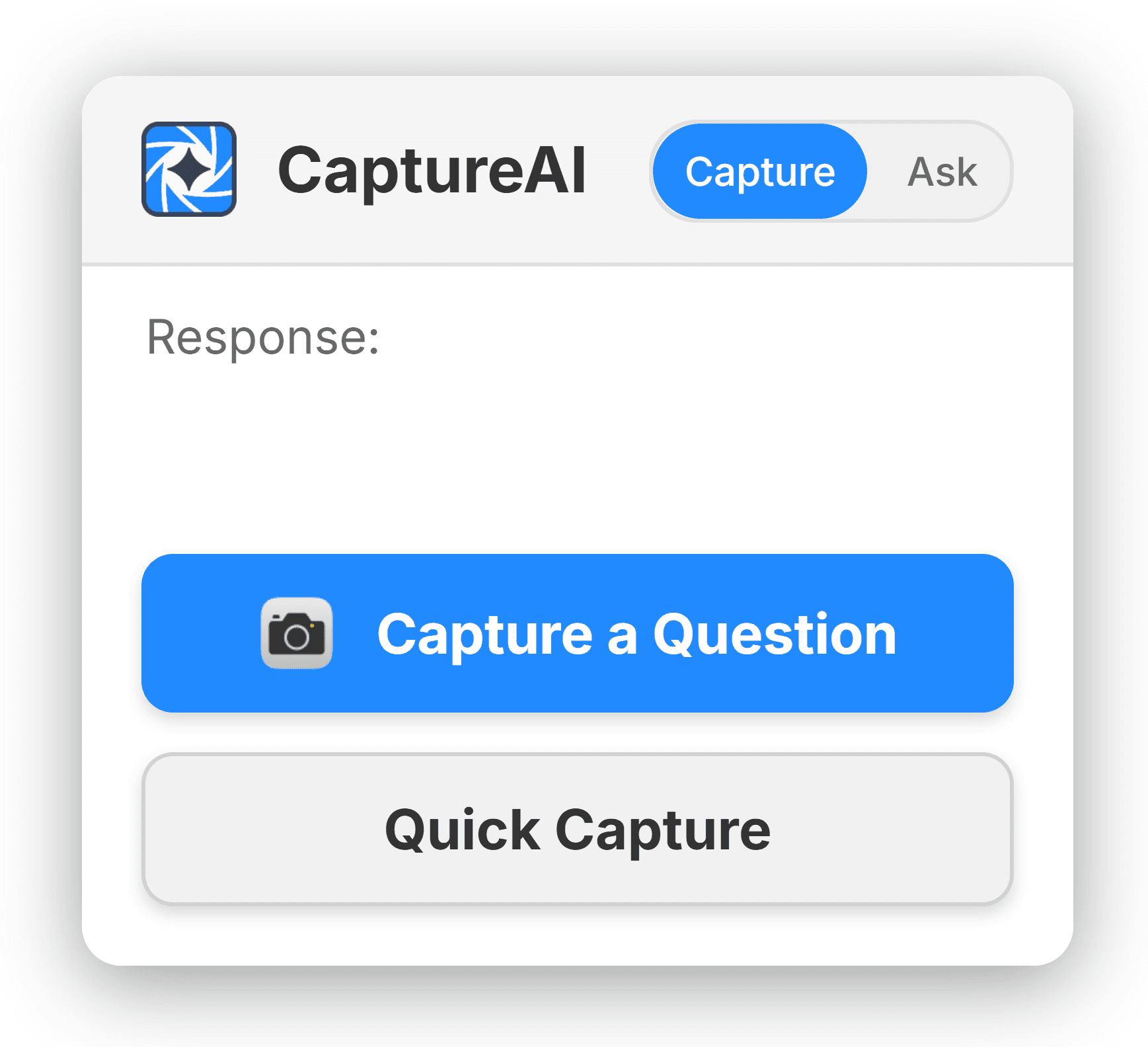
A floating panel that stays out of your way
The CaptureAI interface sits on top of any webpage as a small, draggable button. Click it to open the capture tool, view your last answer, or adjust settings.
No need to open the extension popup or switch tabs. It's always one click away, on every site you visit.
Privacy Guard
Quiz platforms can log browser extension activity. Privacy Guard intercepts those detection methods so your activity logs stay clean.
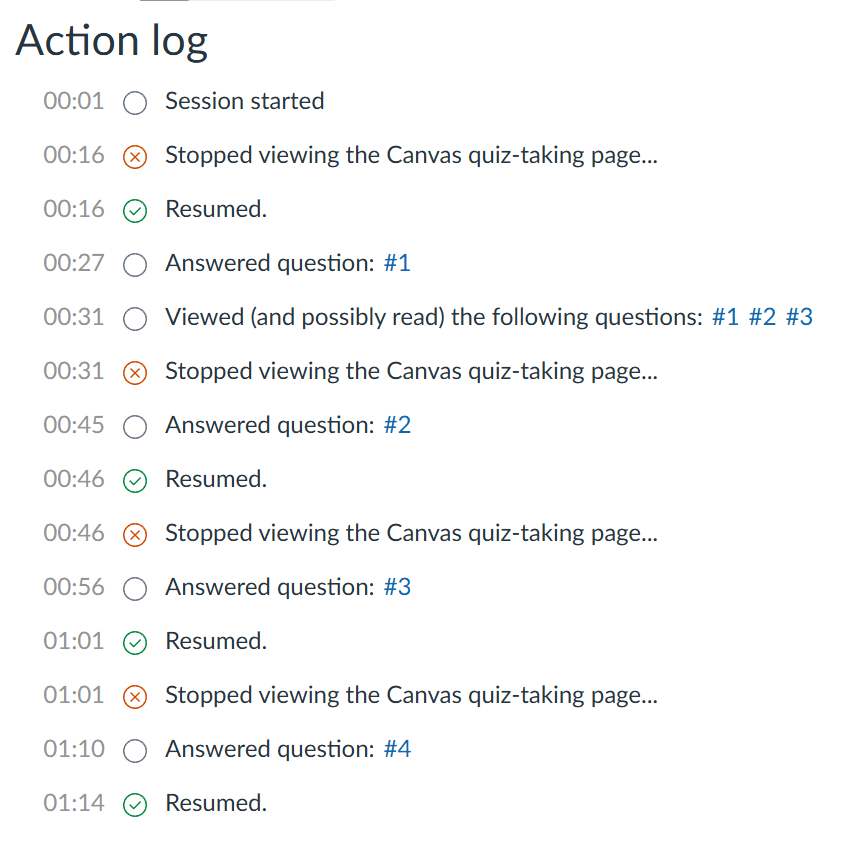
Extension activity visible in platform logs
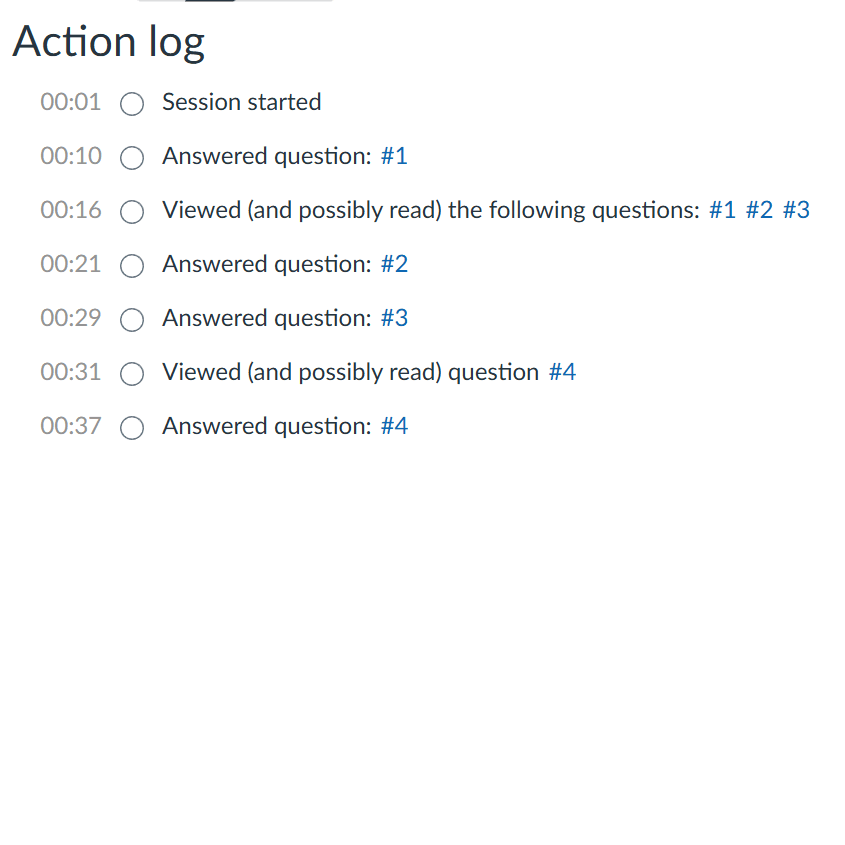
Logs show only normal browsing activity
Everything you need, nothing you don't
What the extension does, in plain terms.
Screenshot Capture
Select any area of your screen with a keyboard shortcut. The extension reads the text and sends it for analysis automatically.
Floating Interface
A small, draggable panel sits on top of any webpage. Click it to capture, view answers, or access settings without leaving your tab.
Stealth Mode
Answers appear inline on the page in a subtle overlay. No popups, no new windows — just the answer, right where you need it.
Works on Any Site
Homework platforms, study guides, PDFs in the browser — if you can see it on screen, CaptureAI can read and answer it.
Privacy Guard
Prevents quiz platforms from detecting extension activity. Your browser logs stay clean and show only normal browsing behavior.
Ask Mode
Ask follow-up questions about a captured screenshot or type a question directly. Get detailed explanations, not just answers.
Auto-Solve
Automatically answers questions on supported platforms like Vocabulary.com. Enable it and let the extension work through problems for you.
Unlimited Requests
Free users get 10 requests per day. Pro removes that limit entirely — use CaptureAI as much as you need.
Three steps. That's it.
No setup complexity. Install, activate, capture.
Capture
Press a keyboard shortcut or click the floating button. Drag to select the area of your screen that contains the question.
Analyze
The extension reads the text from your screenshot, then sends it to an AI model for analysis.
Answer
The answer appears on-screen in seconds. In Stealth Mode, it shows up subtly right where you need it.
Simple pricing
Start free. Upgrade when you need more.
Free
- 10 requests per day
- Screenshot capture
- Floating interface
- Stealth Mode
- Works on any website
- Privacy Guard
- Ask Mode
- Auto-Solve
Pro
- Unlimited requests
- Screenshot capture
- Floating interface
- Stealth Mode
- Works on any website
- Privacy Guard
- Ask Mode
- Auto-Solve
FAQ
Common questions about the extension, pricing, and privacy.
Ready to try it?
Install the extension, get a license key, and start getting answers in under a minute.
Get Started